Fullfilment Actions
(Fulfillment Module Required)
Overview: Mobile WorkForce Fulfillment offers rental stores an electronic means to documenting the operational /life cycle of a contract. Electronically processing allows for real time communication and access to contract details.
After setting up security From Mobile WorkForce->Fulfillment

Each in/out process gathers items counts, comments, timestamps, who performed the action, and meter/fuel readings (when applicable). This tracks the many phases of each order in real-time while showing exceptions such as over/under or changes to the contract itself:
Prep Out – Inventory is pulled, inspected and staged/package for an order.
Prep In – Inventory is inspected, cleaned and placed back into the warehouse.
Will-Call Out – Inventory is given directly to the customer.
Will-Call In – Inventory is returned directly by the customer.
Load Out – Prepped inventory is placed on a delivery truck..
Load In – Inventory is placed on a vehicle for return..
Deliver Out – Items being unloaded from delivery truck.
Pickup In – Items being loaded into delivery truck.
Fulfilling Out/In
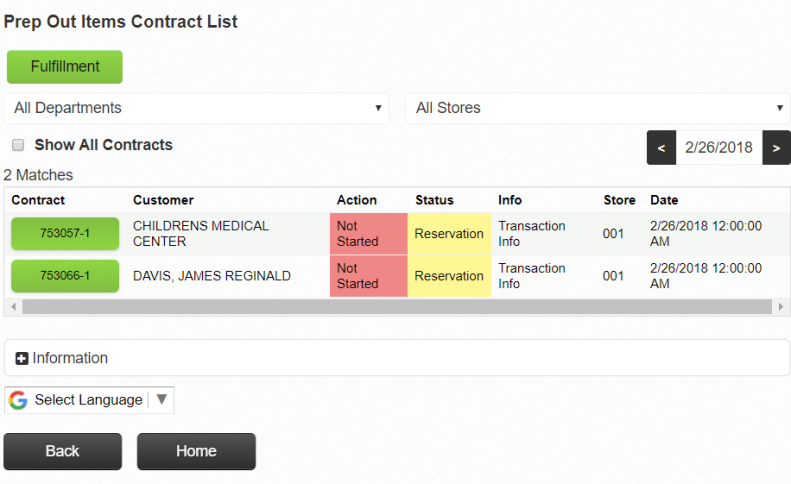
1. Select the Contract
2. Use the list to select each line or all lines (using the check box) and press the Count Out/In button to show completion for the selected items.
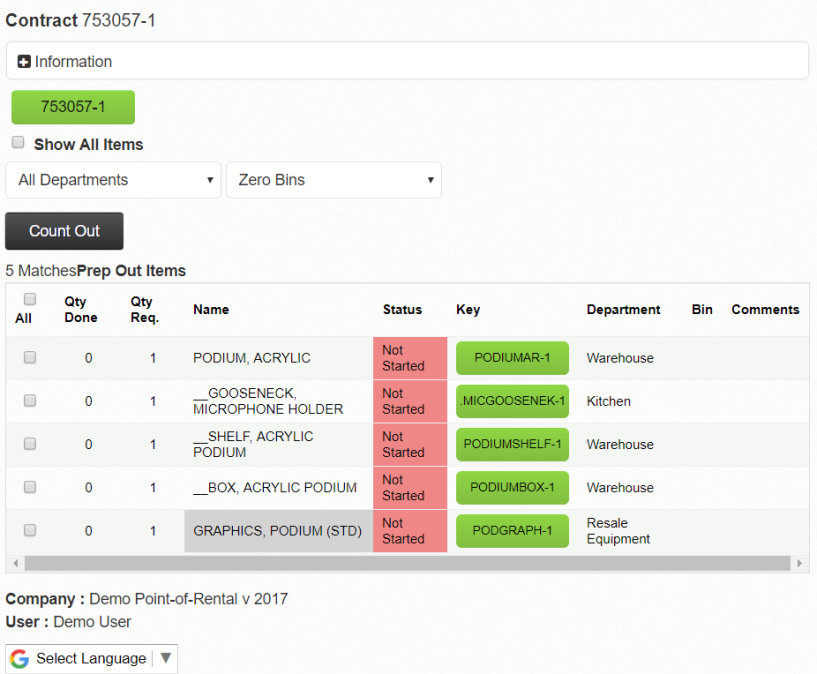
3. For a more detailed view select the item key to view the Item Detail Screen. The detail screen provides more detail than the list view and allows you to action specific quantity

* You will be able to view the Item Key, Record Number and Part No.